Once you have activated your Suffolk email, you should have access to Brightspace within the next 24 hours. To access Brightspace:
1. Log in to the Suffolk Login Portal: Go to the College homepage at sunysuffolk.edu and click Login, or go directly to sunysuffolk.edu/login
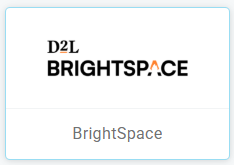
2. Click on the Brightspace tile
Please note the following:
- You will not have access to Brightspace until you activate your Suffolk email.
- Brightspace access to new students will be available a couple of weeks prior to the first day of the semester.
- Registered courses will show in Brightspace a couple of weeks prior to the first day of the semester.
- Courses in Brightspace will be accessible on the first day of the semester unless the course instructor sets up an earlier date for students to access it.
- Brightspace is updated once daily with new accounts and enrollments. If you created your account, enrolled or dropped a course, expect to see it in Brightspace within 24 hours.
- When you add a class to your schedule, it will be available within the next 24 hours.
- If you have an account with another educational institution, make sure to use different browsers for each account.
For more information about Brightspace go to sunysuffolk.edu/brightspace. For general assistance contact the Open SUNY Help Desk. If you have issues accessing Brightspace through the Suffolk Login Portal or accessing your courses, email brightspace@sunysuffolk.edu make sure to include your name, ID and course CRN number.